Creating and managing campaigns
This page covers the day-to-day operations you run on campaigns: activating the bidder, pausing and unpausing in Apple Ads, and the bulk edits available on the campaigns list. Campaign creation itself happens in Apple Ads and syncs into Catchbase on the next data pull.
Before you start
- Apple Ads integration connected.
- Editor role or higher for activation, status changes, and bulk edits.
- At least one campaign has synced from Apple Ads into Catchbase.
Where campaigns come from
Catchbase does not include a "new campaign" form. New campaigns are created in Apple Ads, and Catchbase imports them on the next sync. Once a campaign appears in the list, you can set its objective and target, activate the bidder, and run it.
Activate or deactivate a campaign in Catchbase
Activating a campaign tells the bidding model to manage its bids. The Apple Ads status (ENABLED or PAUSED) is separate. A campaign can serve without the bidding model managing it, or be paused in Apple Ads while remaining active in Catchbase.
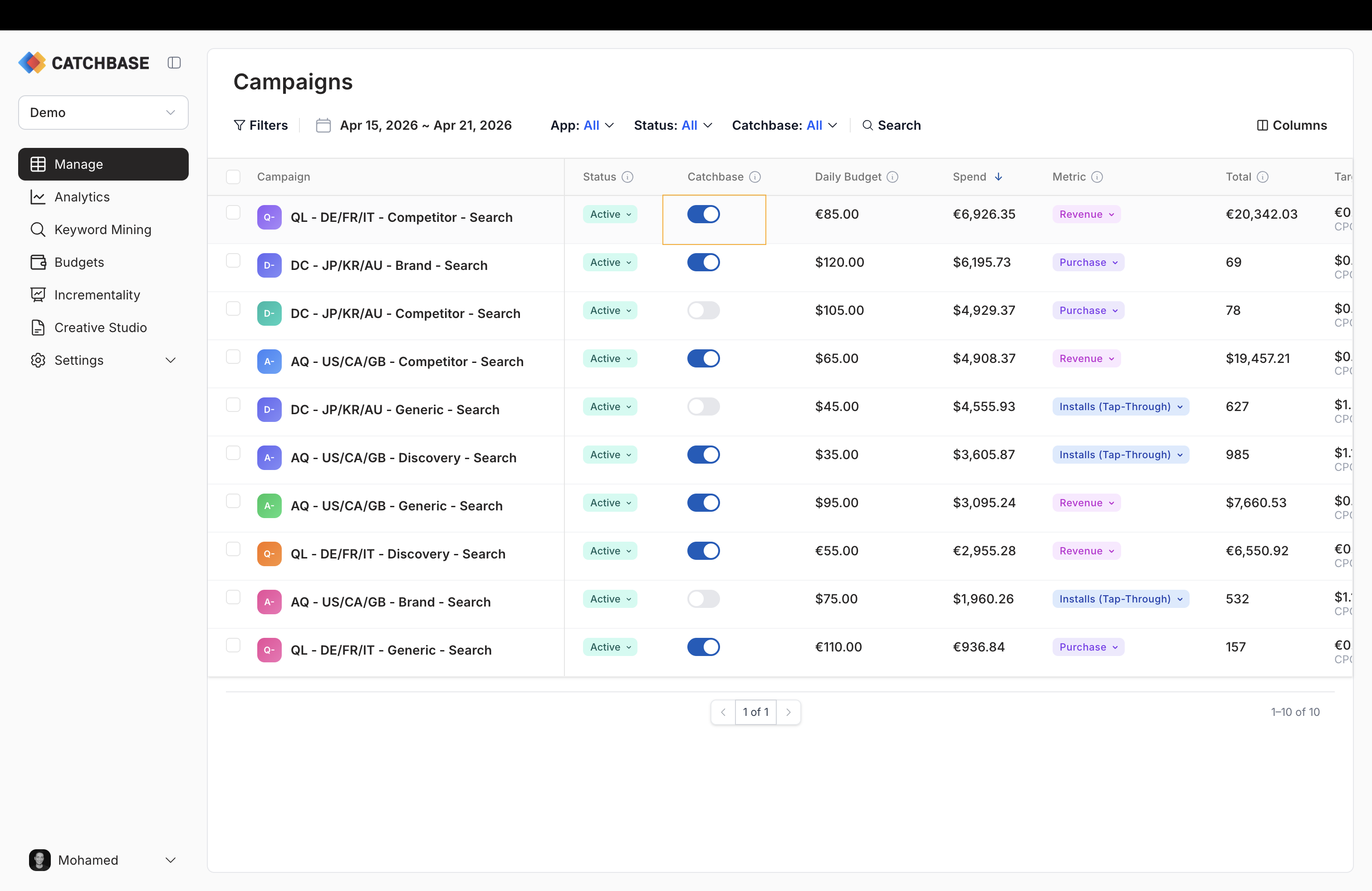
- Open the campaigns list. Find the campaign you want to change.
- In the Catchbase column, toggle the row. If you are activating a campaign that has no target set, a dialog asks you to enter one before the toggle commits.
- Confirm. The row updates in place.
Pause or unpause in Apple Ads
Status changes here write back to Apple Ads.
- Click the status badge on the row, or select the row and use the bulk actions bar.
- Pick Active or Paused. A confirmation appears for paused campaigns because ads stop serving immediately.
Bulk operations
Select campaigns with the left-hand checkbox column. A bulk actions bar appears at the bottom of the screen with the following operations.
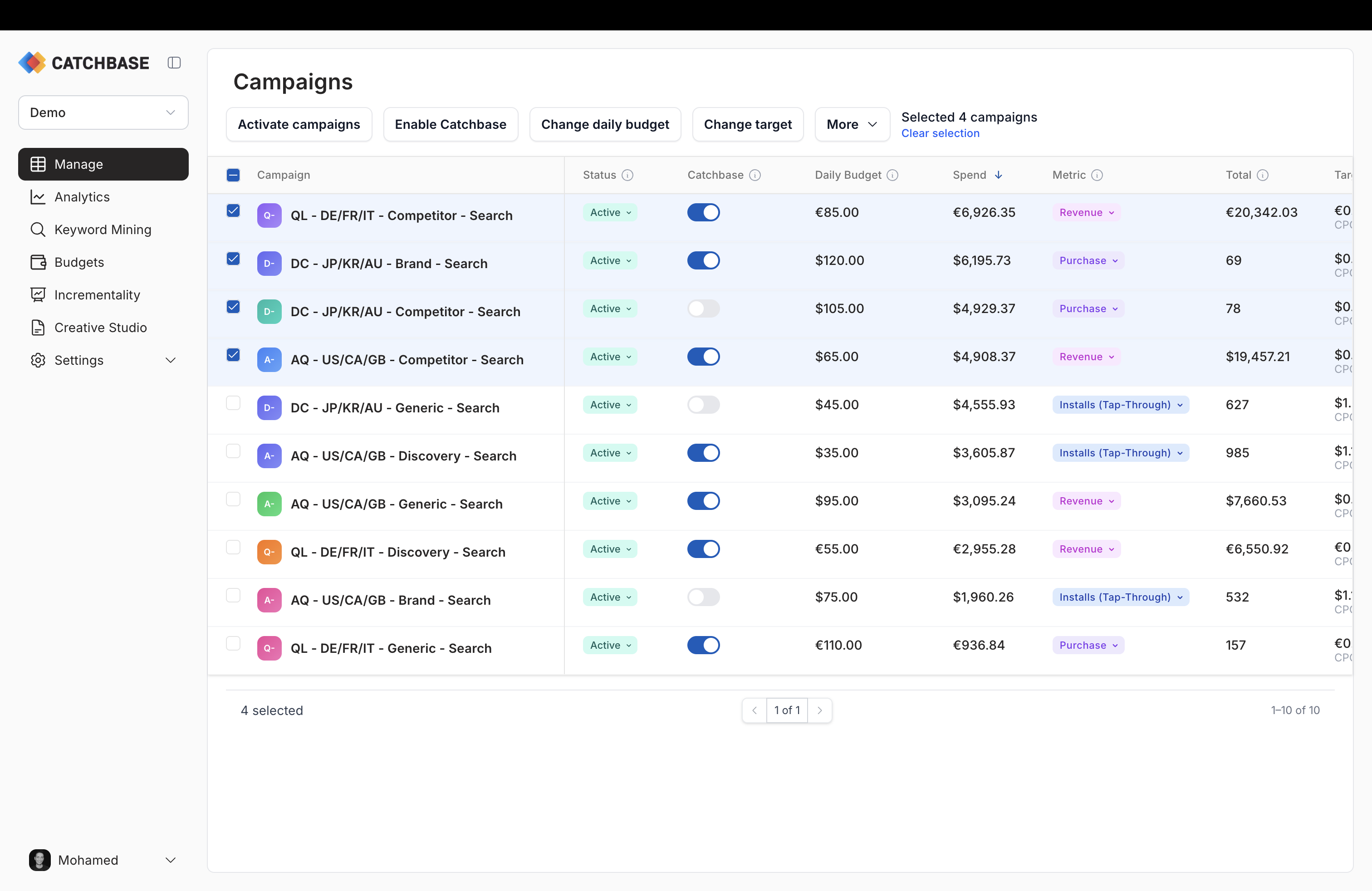
- Enable Catchbase / Disable Catchbase. Enable asks for a single target value applied to every selected campaign. Disable takes Catchbase off the campaigns without prompting.
- Pause campaigns. Pauses every selected campaign in Apple Ads.
- Change target. Updates the target for every selected campaign. Only campaigns with the same objective type can be edited together; mixing volume and revenue objectives blocks submission.
- Change daily budget. Updates each campaign's daily budget. When you reduce a budget below an existing bid, Catchbase can optionally scale keyword and ad-group bids to fit.
Each campaign updates independently. If one fails, the others still apply, and the toast lists any campaign that did not update.
Enable Catchbase in bulk
Selecting Enable Catchbase in the bulk action bar opens the Bulk Activate the bidder dialog. You enter a single target value and that value is applied to every selected campaign, grouped by Apple Ads organization before it is sent. There is no per-campaign override in the dialog; if campaigns in the selection should get different targets, activate them one by one from the Target column instead. The dialog does not validate that every selected campaign has the same objective type; set the objective on each row first through the objective dropdown, then bulk-activate.
What a newly activated campaign needs
Before the bidding model can bid effectively, a campaign needs three things set on the detail page: an objective type, an objective metric, and a target. These are all configured from the campaigns list. See Campaign settings for the dropdown and confirmation flow, and Bidding objectives for how the target is used.