Targeting keywords
Keywords are what Apple Ads matches against user searches. This page covers the match types in Catchbase's keyword view, how to pause or activate keywords, how to change bids in bulk, and where to go when you want to discover new keywords rather than manage existing ones.
Before you start
- Apple Ads integration connected.
- Editor role or higher to change status or bid.
- At least one ad group exists on the campaign. Keywords live inside ad groups.
Match types
Catchbase uses the same two match types Apple Ads does.
- Exact: matches the specific phrase and close variants such as plurals and common misspellings. The keyword text displays in brackets, for example
[photo editor]. - Broad: matches close variants plus related searches. Apple Ads determines relatedness; Catchbase does not influence that matching.
Match type is set when the keyword is created. It cannot be changed afterwards. Filter the keyword table by Broad Match or Exact Match to scope the view.
Negative keywords
Negative keywords block searches from triggering your ad, either at campaign level or at ad-group level. They exist in both Apple Ads and Catchbase, but the current keyword management screen focuses on targeting keywords. Negative keyword management happens in Apple Ads today.
Keywords come from Apple Ads and from Keyword Mining
The keywords tab displays every targeting keyword Apple Ads has for the campaign. Adding new keywords happens outside this screen through two routes:
- Add them directly in Apple Ads and wait for the next sync.
- Use Keyword Mining to discover candidates and route them to a campaign through a discovery automation.
Activating and pausing a keyword
- Open the keywords tab from the campaign detail page.
- Click the status badge on the row. A small menu opens with Active and Paused.
- Pick the new status. The change writes through to Apple Ads on the next sync.
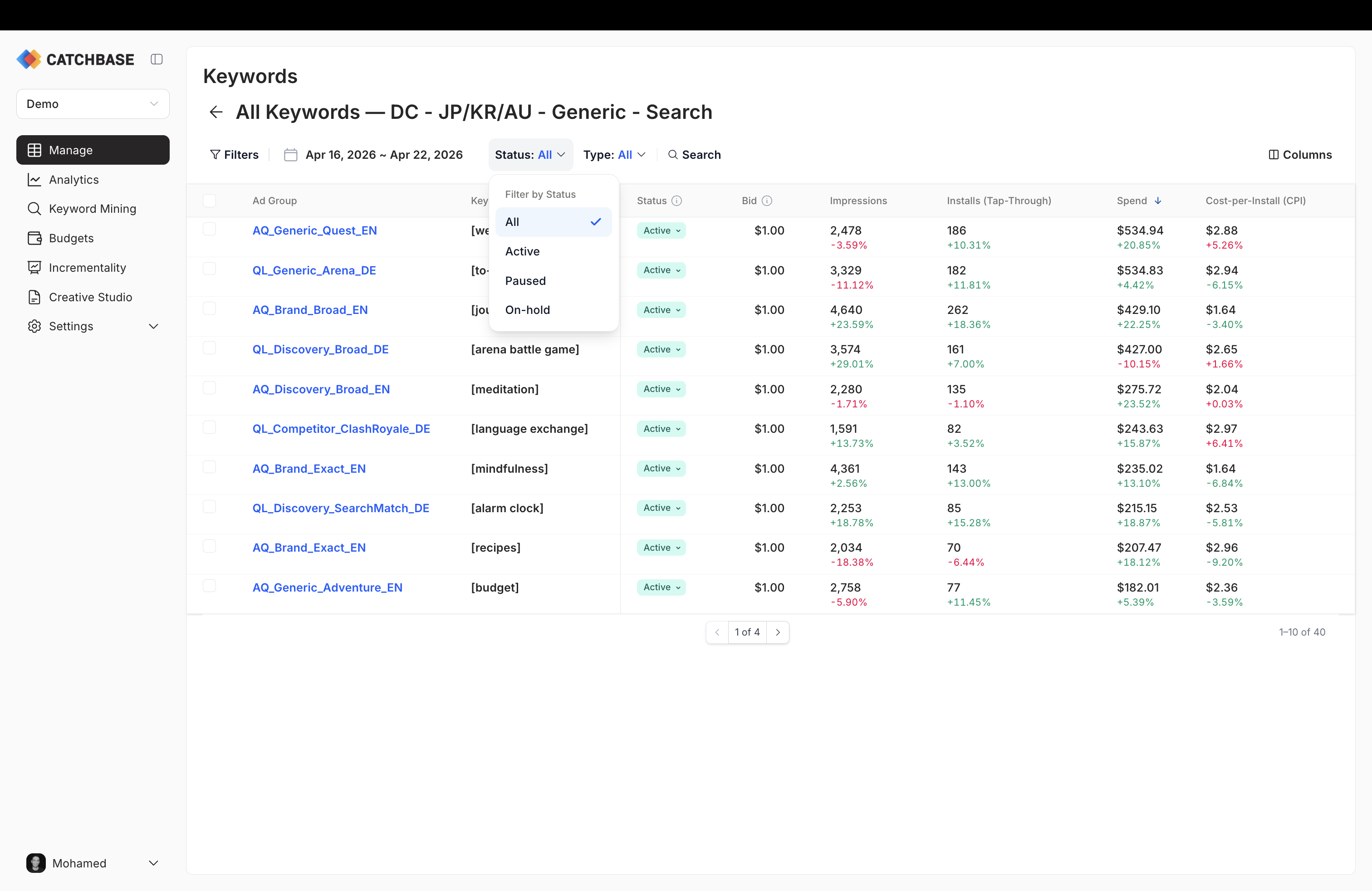
If a keyword's ad group or campaign is itself paused, the row displays "On Hold" and you cannot change it until the parent is active again.
Bulk operations on keywords
Select rows with the checkbox column. A bulk action bar appears with the options below.
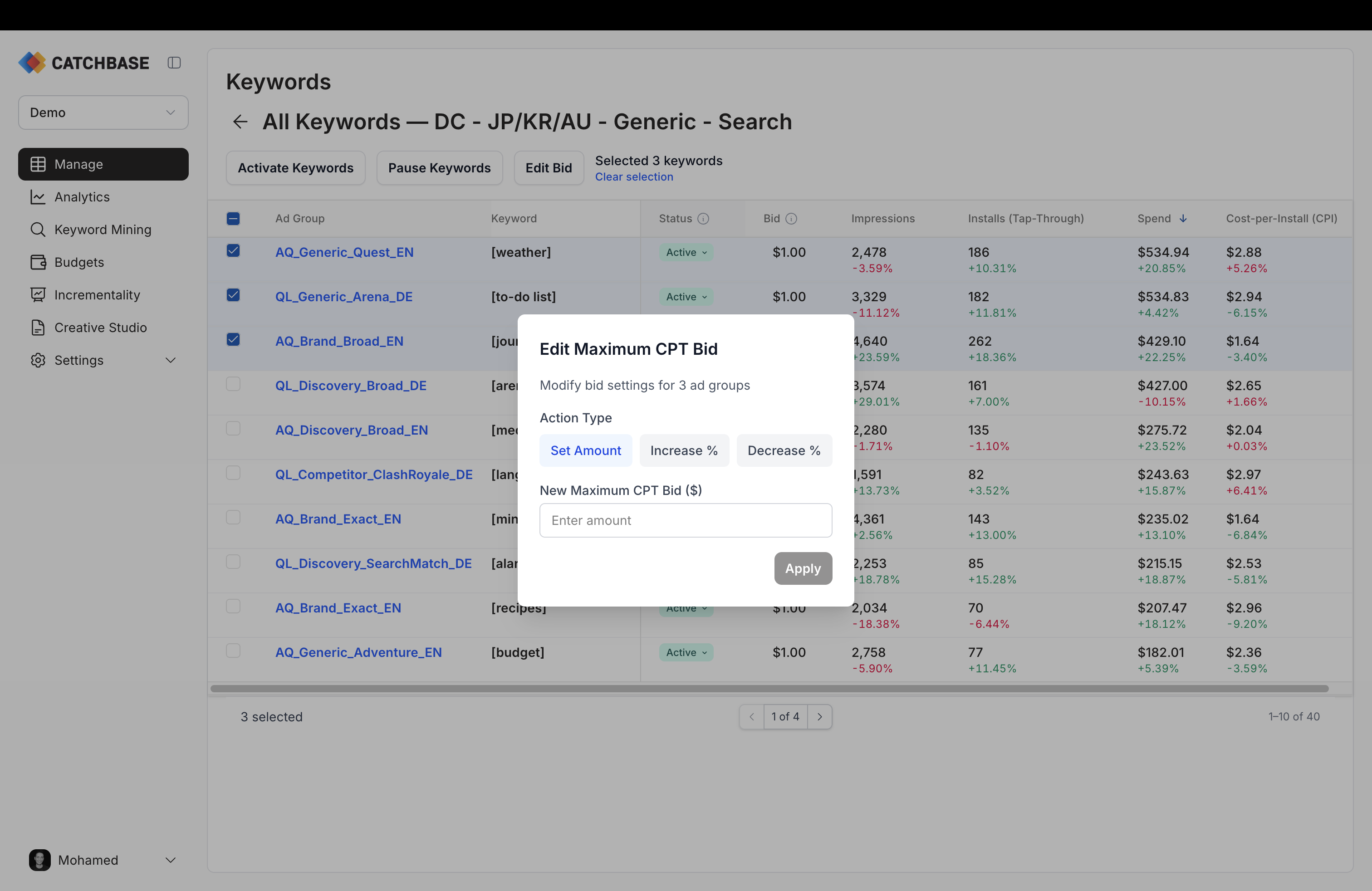
- Activate keywords or Pause keywords. Changes the status for the selection and writes through to Apple Ads.
- Edit max CPT bid. Opens the bid modal. You can set every selected keyword to an absolute amount, or increase or decrease each row's current bid by a percentage. Percentage changes are computed per row, so "+10%" raises each row's own current bid by 10% rather than setting them all to the same value. The bid currency matches the campaign's daily-budget currency.
When the bidding model is active on the campaign, the bid you set is the starting point; the bidding model will still adjust bids within its targets as it learns. To stop the bidding model from moving a keyword, deactivate the campaign in Catchbase first.